Sheetmusic4J 0.0.4
2026-10-16 by Frank Delporte
New Views, New Modules, and a Cleaner Engine
After the quick succession of 0.0.1, 0.0.2 and 0.0.3, this release took a bit longer, and it shows: Sheetmusic4J 0.0.4 is the biggest update so far. The “Next up” list on the homepage promised an interactive NodeSheetView and a 3D fly-over view, and both are in. Under the hood, the engraving engine got split up and the rendering code got its own modules.
NodeSheetView: Notes You Can Click
SheetView and StripSheetView draw the score on a Canvas, which is fast but flat: a note is just pixels. The new NodeSheetView uses the same engraver and painter, but builds a JavaFX scene graph instead, with one Group per note, rest and chord. So every element can take mouse and keyboard events, effects and tooltips like any other node. Hover and selection are built in:
NodeSheetView nodeView = new NodeSheetView();
nodeView.setScore(score);
nodeView.setOnElementClicked((element, event) -> System.out.println("Clicked " + element));
The new NodeDemoApp shows what that makes possible: select a note and drag it up or down, and it snaps to the staff positions (hold Shift for a sharp, Alt/Option for a flat). That’s a first step towards editing, not a full editor, but it opens the door.
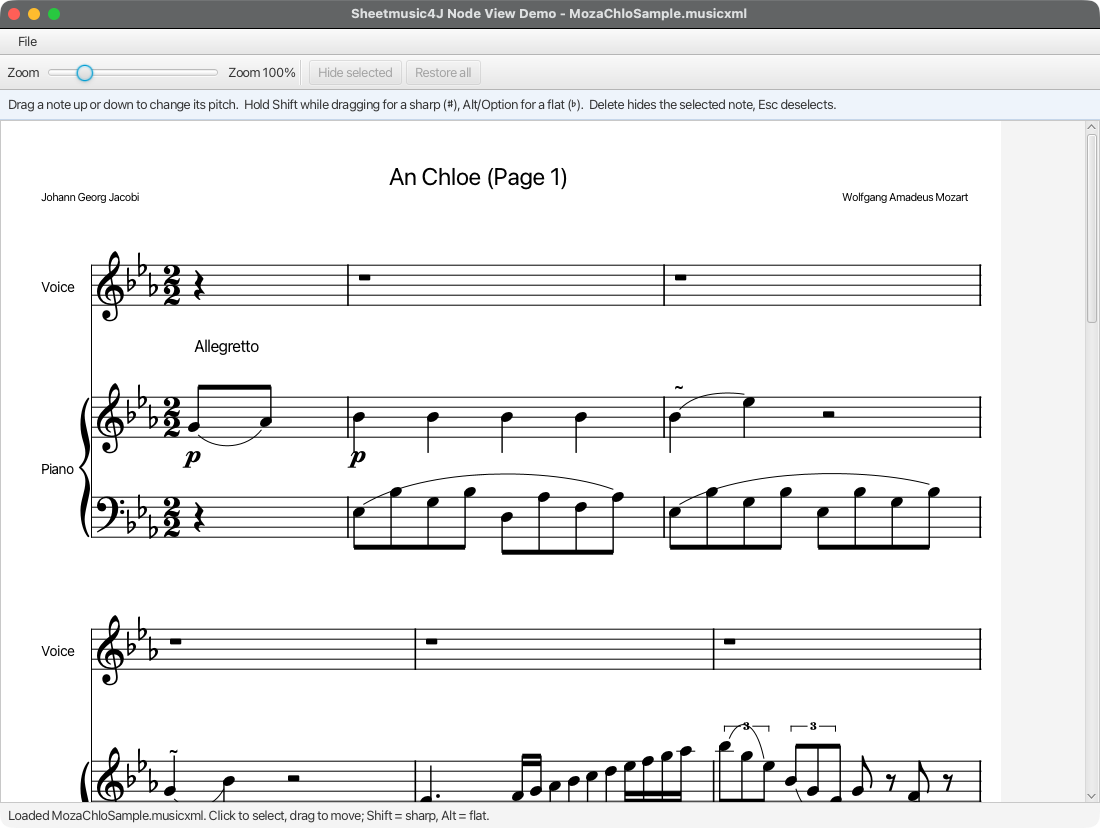
For the canvas views, LayoutResult.hitTest(x, y) does the same picking on the plain layout.
FlyOverSheetView: Play-Along in 3D
This one is mostly for fun, but fun matters in a music app. FlyOverSheetView is a 3D variant of the strip view: the score lies on a sheet of paper, a perspective camera flies along it while it plays, a glowing ball per voice hops from note to note, and sounding noteheads light up. Camera angle, distance, colors, glow and jump height are all JavaFX properties you can tweak or bind. Try it with mvn -pl fxdemo -Pflyover javafx:run.
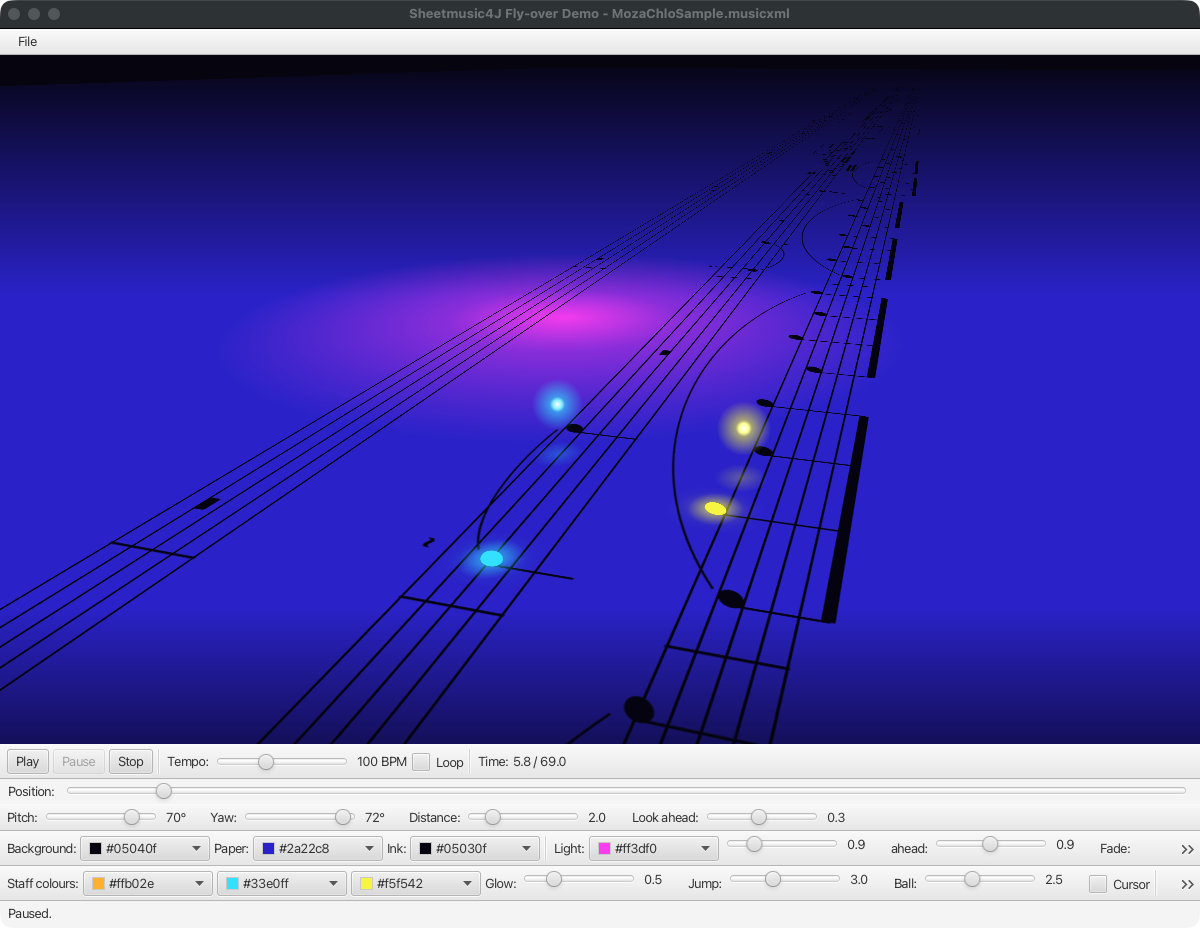
The regular SheetView also learned to play along: cursorTime puts a cursor on the system that’s playing, and revealTime shows only the music that has started, so the page fills in note by note.
Rendering Without JavaFX
The drawing code (ScorePainter and friends) used to live in fxviewer, although it never needed JavaFX: it already drew through a RenderSurface abstraction. It now has its own render module, and a new render-awt module implements that surface on AWT. That gives you headless rendering to an image, handy for thumbnails, server-side previews, or tests:
BufferedImage image = HeadlessScoreImage.render(score, 1200);
ImageIO.write(image, "png", new File("score.png"));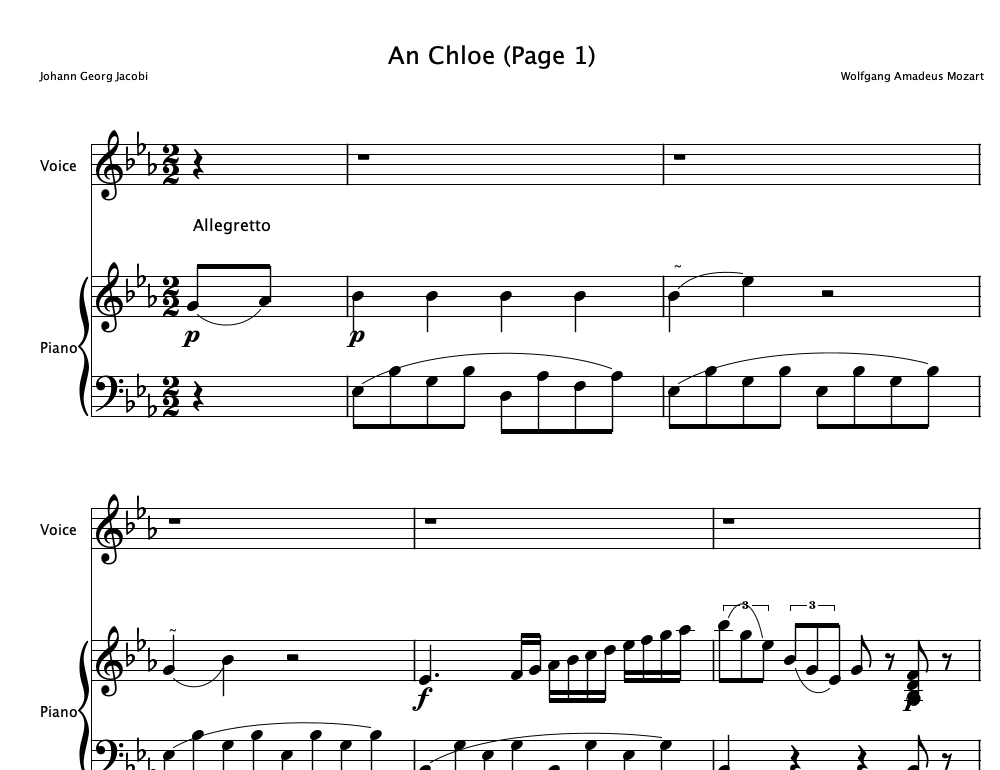
If you only use fxviewer, nothing changes for you: it pulls in render automatically, and the package names stayed the same. All library modules are now also proper JPMS modules.
Under the Hood
The Engraver class had grown to over 3000 lines. It’s now split into focused packages for analysis, page layout, spacing, staff rendering, glyphs and text, with layout snapshot tests to make sure the output didn’t change along the way. In core, all readers and writers now implement common ScoreReader/ScoreWriter interfaces, so ScoreFile dispatches through a ScoreFormat per file type, and you can plug in your own format as a ServiceLoader service. On top of that: exact rhythmic arithmetic with a new Fraction type, size limits when reading compressed .mxl and .gp files, and a round of performance and memory improvements so only the visible part of a large score gets drawn.
Help Find Rendering Issues
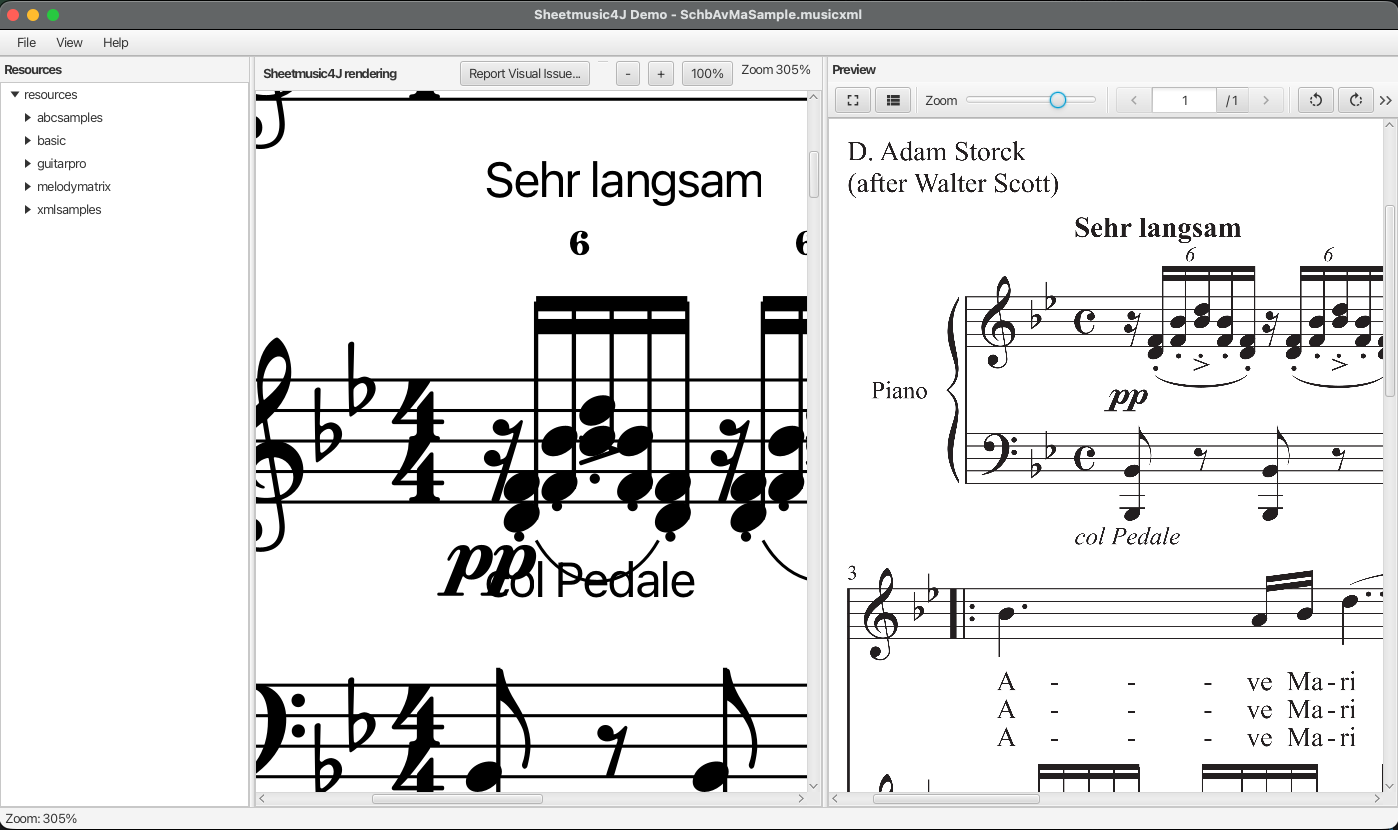
Engraving real-world scores correctly is a never-ending job, and the best way to improve it is with examples of what goes wrong. The demo app has a Report Visual Issue… button: it captures a screenshot of the Sheetmusic4J rendering, the reference PDF next to it, and your description, ready to attach to a GitHub issue. CONTRIBUTING.md explains how it works.
The full list is in the release notes, the difference is on GitHub > compare/v0.0.3…v0.0.4, and the code examples show how to get started. As always, issues and feedback on GitHub are very welcome.