Code Examples
Sheetmusic4J requires Java 21 or higher.
Including the Library in Your Project
This library is available from Maven Central.
If you only need the API to load, inspect, and generate MusicXML/MIDI/ABC/LilyPond files:
<dependency>
    <groupId>com.sheetmusic4j</groupId>
    <artifactId>core</artifactId>
    <version>0.0.5</version>
</dependency>
If you want to render sheet music with the JavaFX SheetView, which includes the core and engraving libraries, you only need this dependency:
<dependency>
    <groupId>com.sheetmusic4j</groupId>
    <artifactId>fxviewer</artifactId>
    <version>0.0.5</version>
</dependency>
Minimal Code Examples
Using the Core Library
ScoreFile is a convenience facade that dispatches to the right reader/writer based on the file extension (.musicxml, .xml, .mxl, .mid, .midi, .abc, .ly):
import com.sheetmusic4j.core.io.ScoreFile;
import com.sheetmusic4j.core.model.Part;
import com.sheetmusic4j.core.model.Score;

import java.nio.file.Path;

public class MinimalExample {
    public static void main(String[] args) {
        // Load a MusicXML file
        Score score = ScoreFile.load(Path.of("song.musicxml"));

        // Access score properties
        System.out.println("Title: " + score.workTitle().orElse("(untitled)"));
        System.out.println("Parts: " + score.parts().size());
        for (Part part : score.parts()) {
            System.out.println(" - " + part.name() + ": " + part.measures().size() + " measures");
        }

        // Convert it to MIDI in one line; ScoreFile picks the writer from the extension
        ScoreFile.save(score, Path.of("song.mid"));
    }
}
Rendering a Score with the JavaFX SheetView
SheetView is a JavaFX Region that engraves a Score and draws it on a Canvas: it’s a plain Node, so it drops into any scene graph, layout container, or ScrollPane like any other control:
import com.sheetmusic4j.core.io.ScoreFile;
import com.sheetmusic4j.core.model.Score;
import com.sheetmusic4j.fxviewer.SheetView;

import javafx.application.Application;
import javafx.scene.Scene;
import javafx.scene.control.ScrollPane;
import javafx.stage.Stage;

import java.nio.file.Path;

public class DemoApplication extends Application {

    public static void main(String[] args) {
        launch(args);
    }

    @Override
    public void start(Stage stage) {
        Score score = ScoreFile.load(Path.of("PATH_TO_YOUR_FILE.musicxml"));

        SheetView sheetView = new SheetView();
        sheetView.setScore(score);
        sheetView.setZoom(1.0);

        stage.setTitle(score.workTitle().orElse("Sheetmusic4J"));
        stage.setScene(new Scene(new ScrollPane(sheetView), 900, 600));
        stage.show();
    }
}
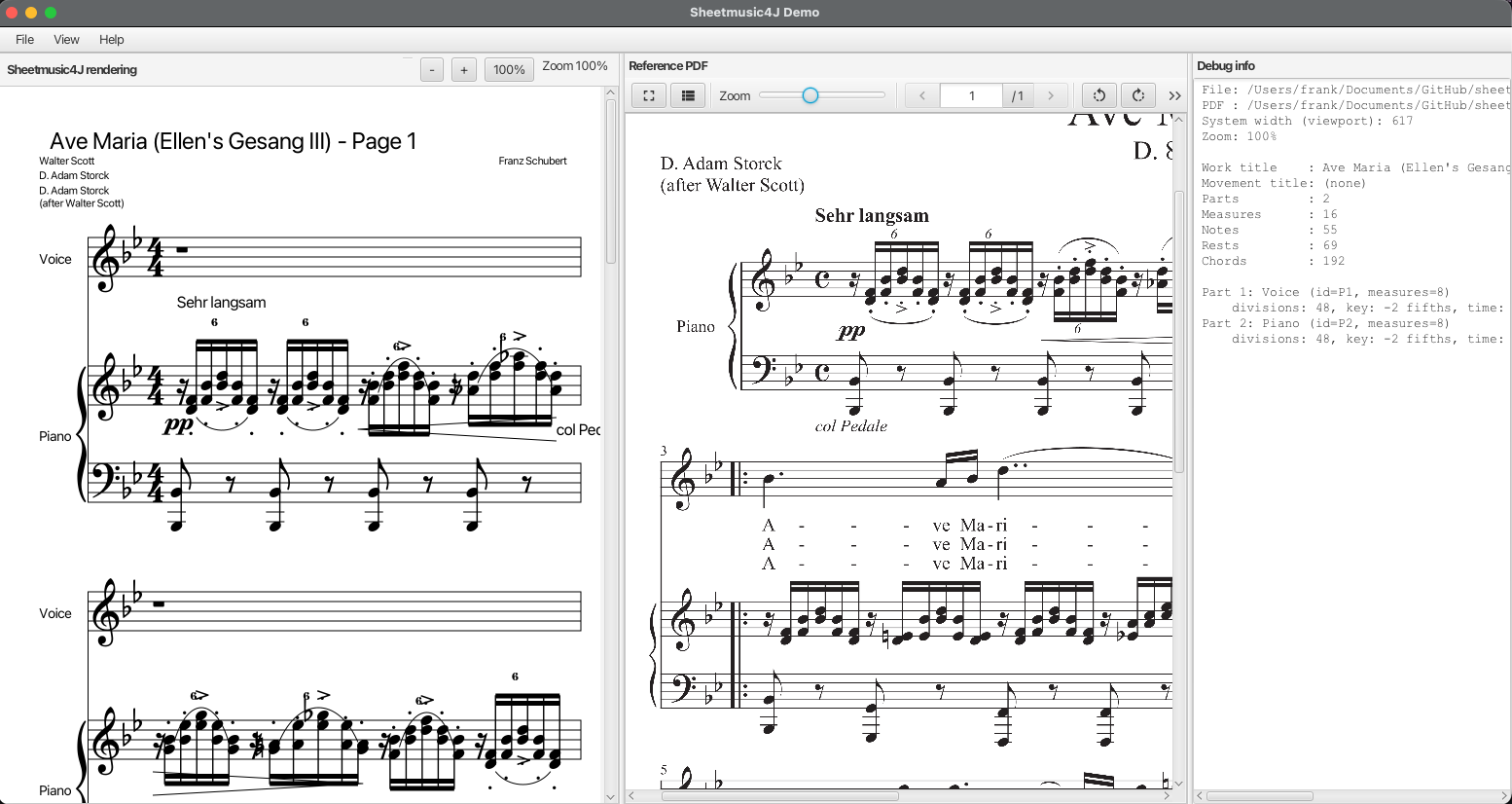
SheetView is content-sized: it re-engraves whenever systemWidth or zoom changes, and reports the resulting size to its parent, so a ScrollPane shows scrollbars automatically once the rendered score is bigger than the viewport.
The fxdemo module wraps SheetView in a standalone application for loading and inspecting MusicXML/MIDI files, with a debug/inspection pane alongside the rendered score:
Play-Along Rendering with StripSheetView
For apps that follow along with playback, like MelodyMatrix, StripSheetView engraves the score as one continuous strip and keeps a fixed on-screen cursor, translating the score underneath it as cursorTime advances. That makes advancing playback a cheap position update instead of a re-render on every frame:
import com.sheetmusic4j.core.model.MusicElement;
import com.sheetmusic4j.fxviewer.StripSheetView;

import javafx.scene.paint.Color;

StripSheetView stripView = new StripSheetView();
stripView.setScore(score);

// Advance the cursor (in quarter notes) as playback progresses,
// e.g. driven by a Timeline, AnimationTimer, or incoming MIDI clock.
stripView.setCursorTime(quartersElapsed);

// Highlight the currently sounding note(s): cheap repaint, no re-engrave.
MusicElement currentNote = /* the note/chord element currently playing */ null;
stripView.noteHighlights().put(currentNote, Color.web("#f0b010"));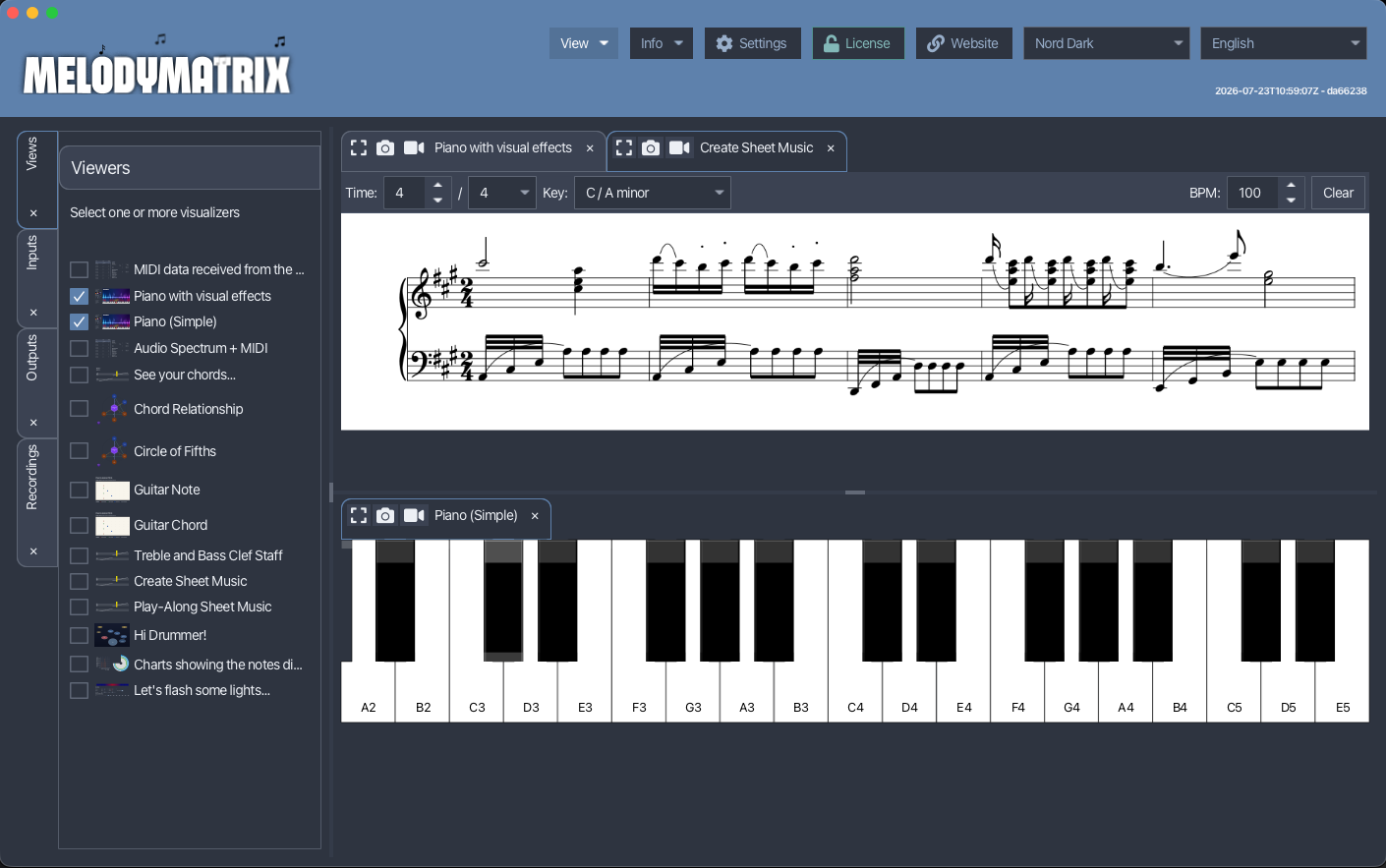
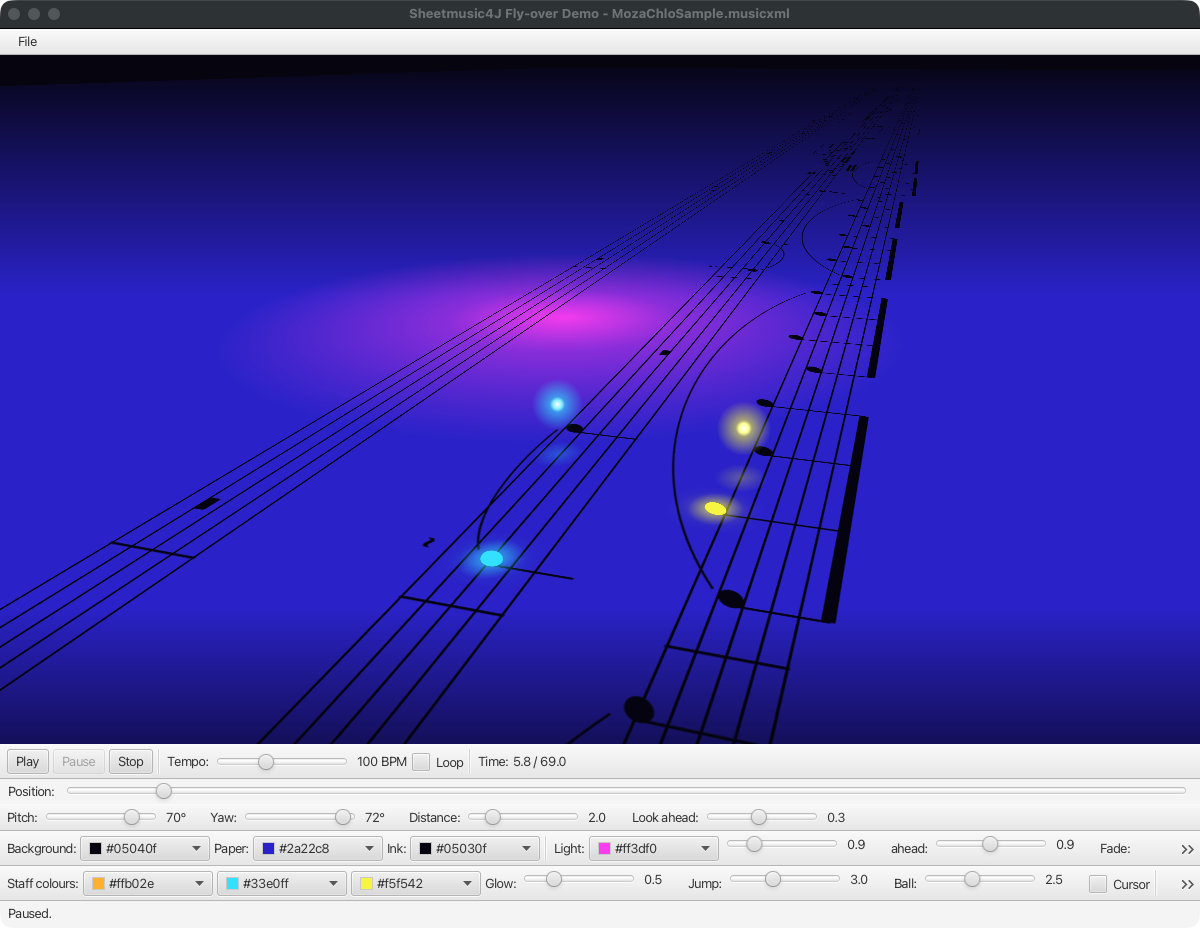
SheetView supports play-along too: its cursorTimeProperty() places a cursor on the system that is playing (shown when cursorVisibleProperty() is true), and revealTimeProperty() shows only the music that has started, so the page fills in note by note. For a 3D take on the strip view, FlyOverSheetView takes the same setScore and setCursorTime calls.
Interactive Notes with NodeSheetView
NodeSheetView engraves the score into a JavaFX scene graph instead of a canvas, with one Group per note, rest and chord. Every element can take mouse and keyboard events, effects and tooltips, and hover and selection are built in:
import com.sheetmusic4j.fxviewer.NodeSheetView;

NodeSheetView nodeView = new NodeSheetView();
nodeView.setScore(score);

nodeView.setOnElementClicked((element, event) ->
        System.out.println("Clicked " + element));

nodeView.selectedElementProperty().addListener((obs, oldElement, newElement) ->
        System.out.println("Selected " + newElement));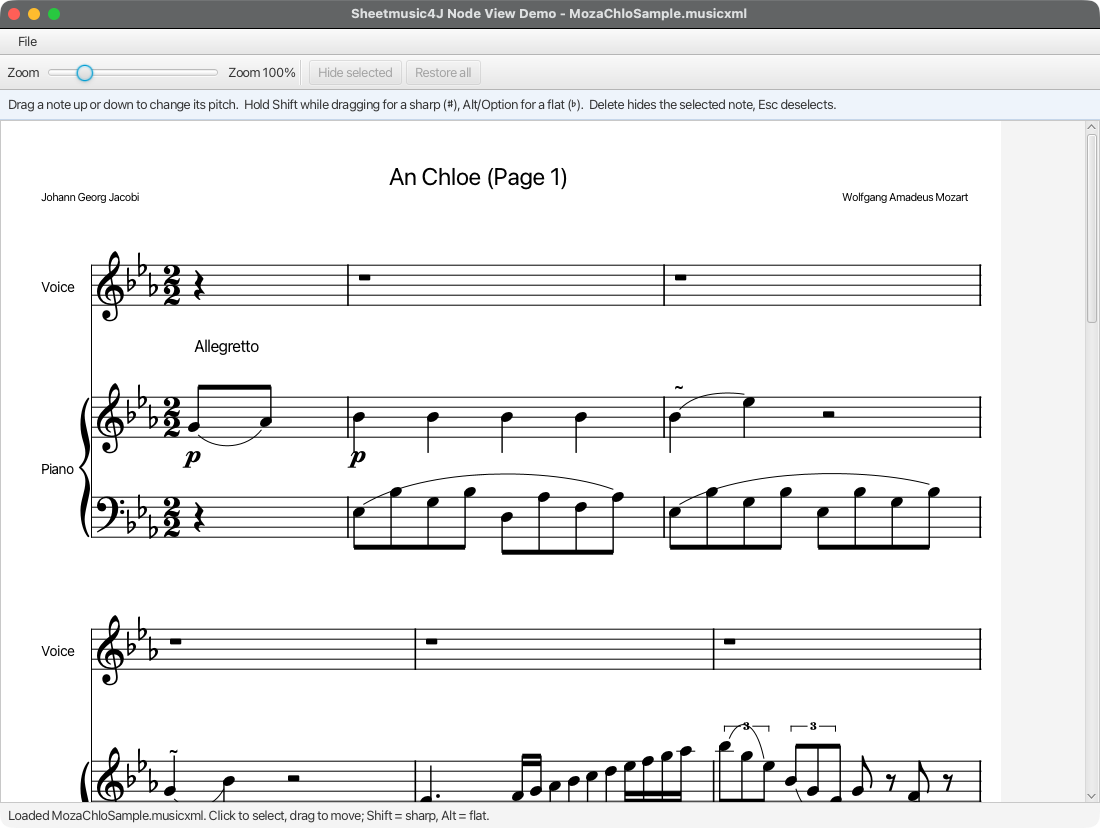
Headless Rendering to an Image
The render-awt module renders a score to a BufferedImage without JavaFX or a display, for thumbnails, server-side previews, or tests:
<dependency>
    <groupId>com.sheetmusic4j</groupId>
    <artifactId>render-awt</artifactId>
    <version>0.0.5</version>
</dependency>
import com.sheetmusic4j.render.awt.HeadlessScoreImage;
import javax.imageio.ImageIO;
import java.awt.image.BufferedImage;
import java.io.File;
BufferedImage image = HeadlessScoreImage.render(score, 1200);
ImageIO.write(image, "png", new File("score.png"));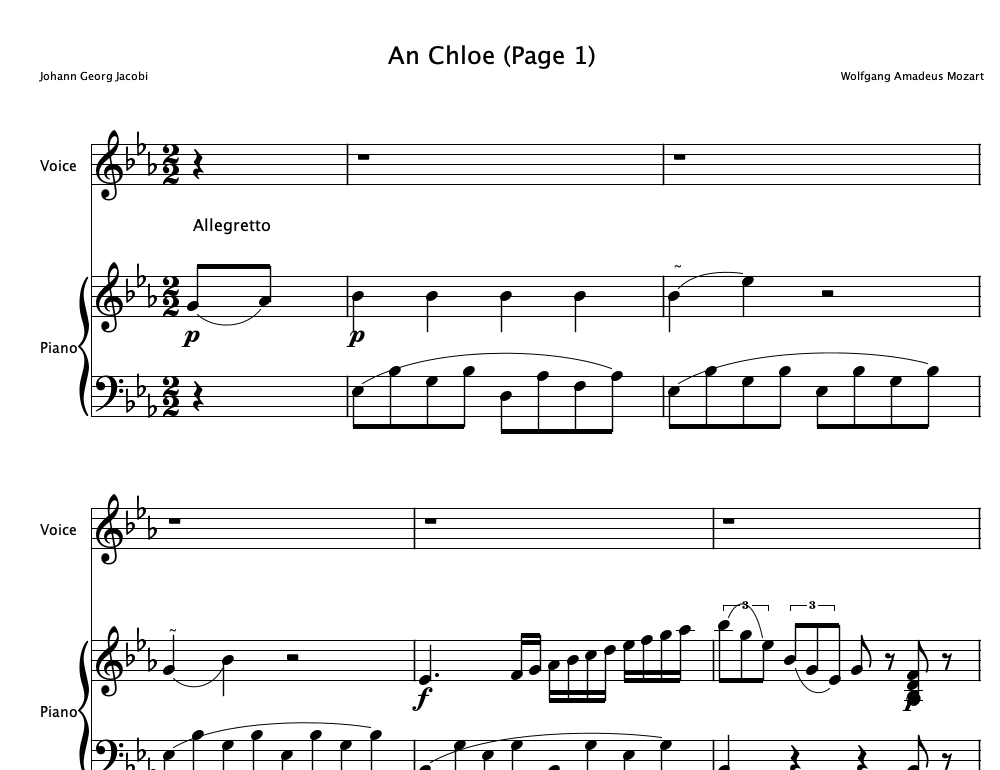
Further Reading
- Inspired By: MusicXML: the file format Sheetmusic4J reads and writes.
- Inspired By: OpenSheetMusicDisplay: the JavaScript-world sibling that inspired this library.
- Release notes for the full API surface added in each version.